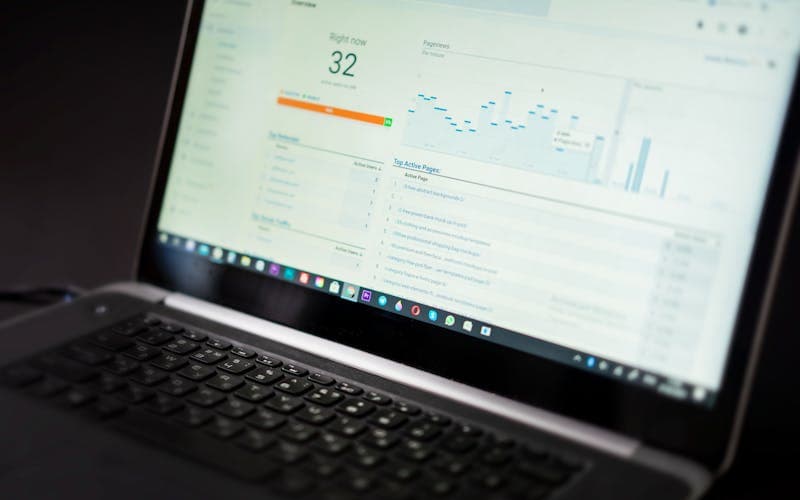
How to Choose Fire Maintenance Software: A Pre-Decision Evaluation Guide
Fire maintenance products look alike in a demo; the differences surface in the third month. From inventory and interval logic to field usability and audit documents, here are the questions to answer before you buy.
 Yangın Takip Ekibi
Every growing fire safety company reaches the same threshold: the day the equipment count outgrows what a spreadsheet can carry. How many extinguishers are on this site, which one is past its refill date, which technician performed which inspection last month — the answers live scattered across a few files, a few phone calls and a few people's memory. The question of how to choose fire maintenance software usually comes up at exactly this point, right after something has gone wrong.
The difficulty is that products in this space look remarkably alike from the outside. They all hold an inventory, they all send maintenance reminders, they all have a mobile app. The difference does not show up in the demo; it shows up in the third month. Does the field team actually open the app? When an inspector asks for records, does the document come out in one step? Is the system still holding up when your customer count doubles?
This article is written to give that decision a structure rather than leaving it to a demo impression. Each section below covers one concrete question you should have answered before you buy.
How to choose fire maintenance software: map your own process first
Starting the search by comparing products is the most common mistake. Before you put vendors side by side, write down how your own work actually flows. How does a customer request reach you, who prepares the quote, how does the work order get to the field, where does the technician record the completed job, and which record does the invoice come from? Write each link in that chain as a single sentence.
This exercise does two things. First, it separates the steps that genuinely need software from the ones that are simply habit. In most companies only two or three links are actually bleeding: usually field records reaching the office late, and inspection intervals depending on one person's attention. Software has to fix those first; everything else is secondary.
Second, it puts you in control of the demo. Instead of watching the scenario the vendor prepared, you bring your own: "I want to record this inspection on this device at this site — show me on screen." That is the only way to find out whether a product really fits your work. A company that watches a demo without mapping its process inevitably sees the vendor's strongest side.
The process map also makes later discussions easier. Instead of a vague objection like "this software didn't suit us," your team can raise something checkable: "the quoting step is on our map but missing in the product."
Inventory and device identity form the backbone
A fire maintenance system is worth exactly as much as the accuracy of the inventory it holds. The critical question here is how the software makes each device unique. Every extinguisher, every hose cabinet, every detection device needs a distinct identity, and that identity has to be readable in the field. QR label, barcode or serial number — the method is secondary, uniqueness is not.
Without device identity, an inventory decays on its own. The same unit gets registered twice, a relocated cylinder keeps showing at its old position, a scrapped device stays on the list. This decay is silent; it is usually discovered during an inspection or through a customer complaint. When evaluating a product, always ask how it handles scrapping, moving a device between sites, and replacing one in place.
The second issue is hierarchy. The inventory has to be held with a customer, site and location breakdown: which client company owns it, at which site, on which floor or in which section. A flat single list works in small operations, but becomes unreportable as the number of sites grows.
Third is the range of device types. A system that only tracks extinguishers falls short quickly if your work also covers hose cabinets, sprinklers, detection and alarm systems or emergency lighting. Each device type should be able to carry its own fields and its own inspection items, so check whether type definitions in the product are flexible.
Maintenance scheduling and the logic behind reminders
Every product in this space says it sends reminders. What distinguishes them is what the reminder is calculated from. Is the interval derived from the device's own history, or is a single date assigned to the whole site? The former is correct: each device should carry its own last inspection and last refill date, and its next date should be computed from those. Otherwise devices added to a site later fall outside the schedule.
The second question is how intervals are defined. Common practice on the extinguisher side is to use separate intervals for periodic inspection, refill and hydrostatic testing; those intervals follow the applicable standard and regulation and can vary by device type. The software has to carry these different intervals separately on the same device. Products with a single "maintenance date" field turn out to be inadequate in practice.
Third is who gets the reminder and when. Having upcoming work appear only as a list on a screen is usually not enough; it has to reach the responsible person in time. An adjustable notification window matters too, because planning needs differ from one business to another: some companies plan routes weeks ahead, others work on a much shorter horizon.
Finally, ask about overdue behaviour. What happens to work whose date has passed — does it drop off the list, turn red, accumulate? A system that does not keep overdue jobs visible goes quiet exactly when it is needed most.
A mobile interface the field team will actually use
Most fire maintenance software is chosen in the office and dies in the field. The technician is on site, often with poor coverage, hands full and in a hurry. A form that looks reasonable on an office screen can be unusable under those conditions.
So test the mobile side in the field, not in the demo. Ask the vendor for a trial account and record a few devices at a real site together with a technician. What to watch is concrete: how many seconds does reading a label take, how many taps complete one device inspection, is attaching a photo practical, do repeated fields come pre-filled across the dozens of devices at the same site?
Offline capability is a separate heading. In basements, warehouses and industrial plants the connection drops constantly. For most companies, being able to record without internet and sync automatically once the connection returns is not an optional feature but a precondition for usability. Ask what the sync does on conflict as well: if two different records were entered for the same device, which one wins?
Another point is whether data entered in the field becomes visible in the office immediately. When the office sees a job the moment the technician closes it, response times to the customer shorten and the habit of entering everything in bulk in the evening disappears. That bulk-entry habit is one of the most common sources of recording errors.
Records, documents and audit readiness
In fire safety, documenting that the work was done matters as much as the work itself. During an inspection, or in a review after an incident, the question is usually the same: what is this device's history, when was it last inspected, by whom, and against which checks? When choosing software, look at how many steps it takes to answer that.
In a healthy system every device has an unbroken history: inspections, refills, replacements and fault records in chronological order on a single screen. It also matters that this history cannot be quietly altered afterwards; being able to trace who entered a record and when is what gives the document its value.
On the reporting side there are two distinct needs. The first is operational reports: upcoming work, overdue work, jobs completed per technician. The second is documents handed to a customer or an inspector: inventory lists per site, a breakdown of inspections performed in a period, drill and training records. The second group needs to be produced as PDF, carrying your company identity, in a readable layout.
Even the file name and the way documents are archived make a practical difference. In a company serving dozens of sites, being able to tell from the file name which site and which date a downloaded report belongs to noticeably shortens later searches.
The commercial side: technical tracking alone is not enough
For fire safety companies, maintenance tracking and the commercial process are intertwined. An inspection performed is a service; it gets invoiced, it is tied to a contract, and it sometimes arrives together with a refill and parts replacement. Software that only solves the technical side leaves the commercial record back in a spreadsheet, and the company ends up keeping two separate systems in sync by hand.
When evaluating, look at the customer structure: can the client company, its sites, the devices at those sites, and the quote, work order and invoice attached to that chain all be held in one place? Being able to turn completed work directly into an invoice removes the need to enter the same data again at month end.
Contract tracking is another heading. For customers on an annual maintenance agreement, the scope, term and renewal date should live in the system, and work outside that scope should be chargeable separately. If the software does not make that distinction, scope arguments happen face to face with the customer.
Do not overlook stock either. Refill material, spare parts and sold devices only make sense being deducted from stock when that deduction is connected to the field job. In systems that keep stock movements independent of work records, the inventory genuinely drifts before long.
Onboarding, data migration and the purchase decision
The real cost of software is not the licence fee alone. Migrating your existing data, training the team and the inefficiency of the first few months all belong in that calculation. So one of the first questions in a purchase conversation is data migration: in what format is your existing list accepted, who performs the transfer, and how are bad records corrected?
The second question is ownership. Can you export your data whenever you want, and in what format? This matters not only for the possibility of leaving the product, but also whenever you need to feed accounting or another system. A system without export gradually locks the company in.
Third is support and continuity. When something breaks in the field, who do you reach, through which channel, and how quickly do they respond? Release frequency is a signal too: software that has not shipped a new version in a long time may leave you behind when regulation or practice changes.
At the decision stage, prefer a narrow pilot over a broad rollout. Picking one site or one crew and using the product for real over a few weeks produces a clearer answer than months of comparison meetings. Write down the pilot's success criterion in advance as well: for example, a shorter delay between field recording and office visibility, or a drop in the number of overdue jobs.
Making the decision
Choosing fire maintenance software has less to do with comparing feature lists than with knowing your own operation. Unique device identity, intervals computed per device, an interface that genuinely works in the field, documents you can produce during an inspection, and integrity with the commercial side — these five headings are enough to separate most products from one another.
At Yangın Takip we started from exactly this need: we build software that brings customers, sites, inventory, periodic inspections, drills and field work together in one place. Whichever product you choose, we would suggest basing the decision on a short pilot inside your own process rather than on an impression from a demo.
Related reading
- QR Kod ile Yangın Ekipmanı Takibi Nasıl Yapılır? — https://yangintakip.com/en/blog/qr-kod-ile-yangin-ekipmani-takibi-nasil-yapilir
- Yangın Söndürücü Takip Programı Ne İşe Yarar? — https://yangintakip.com/en/blog/yangin-sondurucu-takip-programi-ne-ise-yarar
- QR Equipment Tracking — https://yangintakip.com/en/cozumler/qr-ile-ekipman-takibi
Bring extinguisher and maintenance tracking into one place
Request a short demo for your company and see the system with your own data in a 14-day free trial.
Request a free demoFrequently Asked Questions
Does a small fire safety company need software at all?
Spreadsheet tracking usually breaks once the device count passes a few hundred, or once more than one technician is going out to sites. What decides it is not company size but the number of devices tracked and the variety of intervals. Even in a one-person operation, interval tracking stops being safe to leave to memory as the number of sites grows.
What is the most common mistake when choosing this software?
Watching demos without having mapped your own process. The scenario a vendor prepares naturally shows the product at its strongest. Once you write out your own workflow step by step and ask for the demo to follow it, you find out where the product actually stalls.
Does the mobile app really need to work offline?
In basements, warehouses and industrial plants the connection drops often enough that it is effectively a requirement. An app that cannot record offline forces the technician to postpone entry, and bulk entry later is one of the most common sources of recording errors.
Can I move my data to another system later?
This is a question to ask before buying. Software without an export path locks you in when you want to change products, or when you need to feed data to accounting or another system. Clarify what format the transfer uses and who carries it out.
What is the soundest way to trial a product?
Run a pilot of a few weeks with a single site or a single crew rather than moving the whole company at once. Writing the pilot's success criterion in advance matters too; a concrete measure, such as a shorter delay between field recording and office visibility, keeps the discussion off impressions.
Related Posts
Woodworking Shop Fire Safety: Sawdust, Electrical and Storage Guide
October 25, 2026 · 7 min read
How to Test a Fire Alarm Call Point: Maintenance and Inspection Guide
October 24, 2026 · 8 min read
Key Features of Periodic Maintenance Tracking Software for Fire Safety
October 23, 2026 · 8 min read